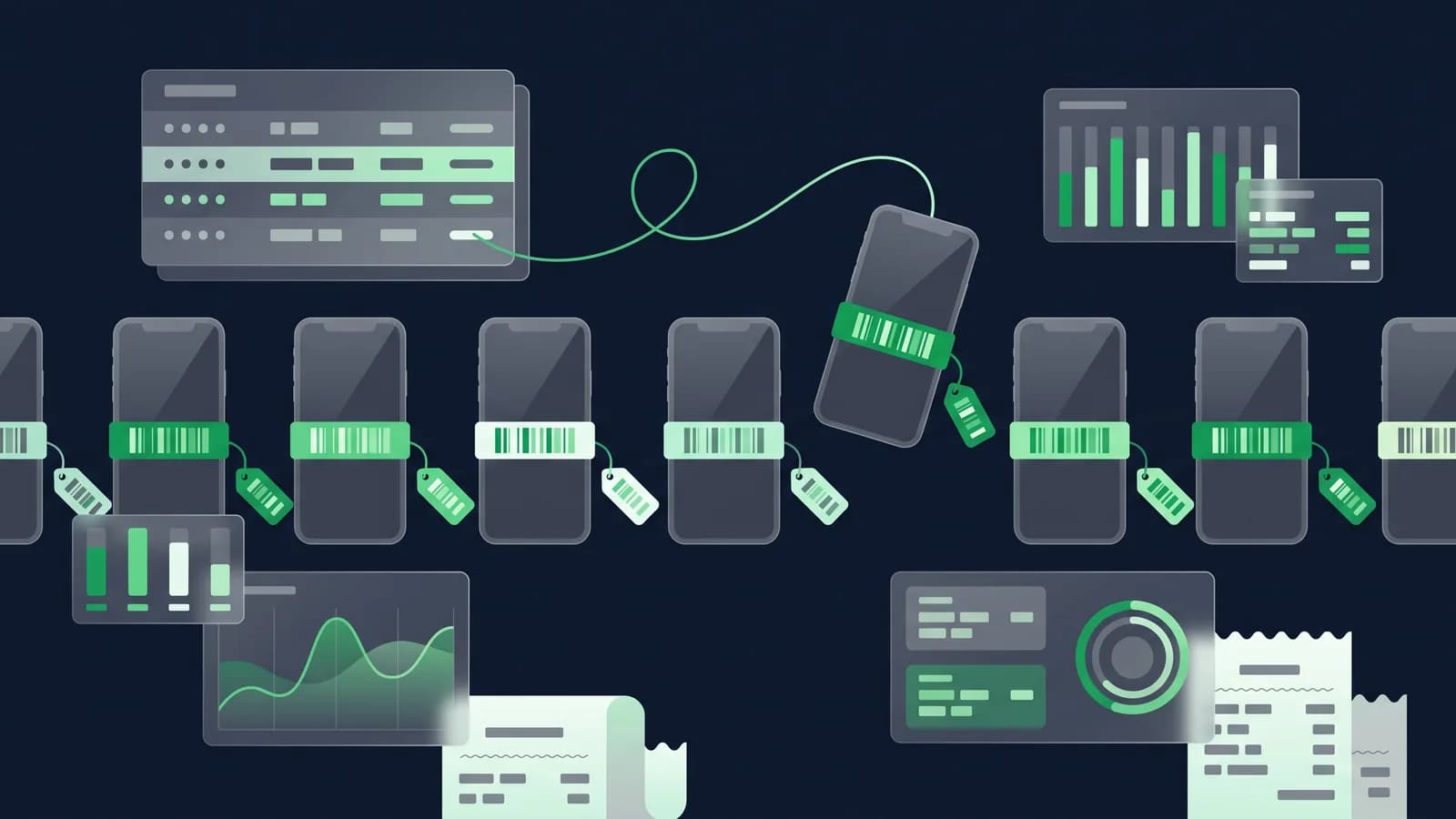
A grocery shop that loses one packet of biscuits loses about thirty taka. A mobile shop that loses one handset loses twenty-five thousand, and it does not find out for a month. That single sentence explains why software built for general retail rarely survives on a mobile or electronics counter in Bangladesh. On a phone counter, "stock: 6 pieces" is not a useful number. The useful number is which six, with which IMEIs, bought at which price, on which supplier bill, and how many days of warranty each one has left.
This guide is about that difference. It covers how IMEI and serial numbers get captured at purchase and at sale, what duplicate detection saves you from, how a warranty start date turns into a claim you can actually trace, how repair jobs and loaner sets are tracked, what happens when a customer trades in a used handset, and how accessories sit alongside serialised goods without slowing the counter down. Everything described here is something you should ask any vendor, including us, to demonstrate live on your own stock. Electronics and mobile shop details.
Why serialised stock is a different problem
In ordinary retail, stock is a quantity. Ten bottles of shampoo are interchangeable, so the system only has to know that there are ten, and subtract one when a bottle sells. In electronics, stock is a list of individuals. Handset A and handset B may be the same model and colour, but one came in on a March purchase order at ৳24,800 and the other on a July one at ৳23,400; one was sold and returned, the other is factory-sealed; one has eleven months of warranty left, the other has thirteen.
The moment you sell a serialised item, four things have to happen together: that specific unit leaves stock, its purchase cost attaches to that specific sale, its warranty clock starts, and its number becomes searchable by the customer's phone number and the invoice. A POS that only knows quantities can do the first thing and none of the other three. That is why mobile shops end up running a POS plus a warranty register plus an Excel file of IMEIs, and why the three never agree at the end of the month.
Serialised versus ordinary stock, side by side
| What the counter deals with | Ordinary stock (accessories, cables, chargers) | Serialised stock (handsets, laptops, TVs, ACs) |
|---|---|---|
| Unit of stock | A quantity in a bin | One specific unit with its own IMEI or serial |
| Receiving | Count the carton, enter quantity | Scan or type each number against the purchase bill |
| Selling | Scan barcode, quantity minus one | Pick the exact unit; that number prints on the invoice |
| Cost and margin | Average cost is usually good enough | Actual cost of that unit; margin per piece is visible |
| Warranty | Rarely tracked | Start date, months, and expiry per unit |
| Return or exchange | Any identical unit will do | Only that unit; condition and reason recorded |
| Branch transfer | Send 20 pieces | Send these 20 numbers; receiving branch confirms each |
| Stock count | Count and compare totals | Scan numbers; the system names the missing units |
| Typical shrinkage signal | Totals drift slowly | One number is unaccounted for, and it is worth ৳25,000 |
| Price behaviour | Stable for months | Falls with model age; old stock loses value on the shelf |
Read the last two rows together and you have the whole argument. Shrinkage in a mobile shop is not slow drift, it is a specific expensive object; and the cost of not knowing which units are ageing on the shelf is real money, because a handset that sat unsold for five months is usually worth less than you paid. How inventory tracking works.
Capturing IMEI and serial numbers at purchase
The discipline starts at the back door, not the counter. When a delivery arrives from the distributor, each unit's number should be recorded against the purchase receipt before it goes on the shelf. Do it then, and every later question has an answer. Skip it, and you are reconstructing history from cartons.
Practically, a good system lets you open the purchase receipt, select the line for a model, and then enter as many numbers as there are units on that line. It should refuse to close the line until the count of numbers matches the quantity. That single rule catches the most common receiving error in the trade: the bill says twenty, the carton holds nineteen, and nobody notices until the twentieth customer.
Scan versus type
A phone's IMEI is on the box as a barcode, so scanning is faster and, more importantly, accurate. Fifteen digits typed by a tired staff member at 9pm will contain errors, and a wrong IMEI is worse than no IMEI because it looks correct until a warranty claim fails. Use a scanner for receiving wherever the box carries a barcode. Keep typing as the fallback for units whose label is damaged, for older stock, and for accessories-with-serials like power banks.
Two small things make typed entry safer. First, the field should validate length and format, so a fourteen-digit entry is rejected on the spot. Second, some boxes carry two IMEIs for a dual-SIM handset; decide as a shop whether you record the first, both, or the one printed largest, and make everyone follow the same rule. whether your regular distributors' boxes carry IMEI1 and IMEI2 as separate barcodes, since practice varies by brand.
Duplicate detection
The system must refuse to accept a number that already exists in stock. This is not a nice-to-have. A duplicate IMEI in your records means one of three things, and all three matter: someone typed the same number twice and one unit is now invisible; a returned unit was received back in without being matched to its original record; or a unit is being entered that you should look at more carefully before you put it on the shelf.
Ask specifically what happens on a duplicate. The safe behaviour is a hard block with a message naming where the existing number sits (which branch, which purchase bill, whether it is in stock, sold or returned) not a warning the staff member can click past.
The sale: one unit leaves, one warranty starts
At the counter, the sale of a serialised item should take one extra scan, not one extra screen. Staff scan the model, the system asks for the unit, they scan the box, and the invoice line now carries that number. Print rules should put the IMEI or serial on the customer's invoice, because that piece of paper is what the customer will bring back for a claim, and because it is the cheapest possible proof of purchase for both sides.
Behind that scan, the system should be doing the quiet work: attaching the actual purchase cost of that unit to the sale, starting the warranty clock, and filing the number against the customer's name and mobile number so it can be found later by any of the three. If the shop is VAT-registered, the same sale still has to produce a proper Mushak 6.3 invoice, serialisation does not change that obligation. Mushak 6.3 guide.
Warranty: start dates, terms and claims you can trace
Warranty sounds simple and is not, because there are usually two of them running at once. The manufacturer or authorised importer gives a warranty of some months from the date of purchase by the customer. The shop may also offer its own terms: a replacement window of a few days, or a guarantee on a screen protector fitting. These have different lengths, different owners and different rules, and both need to be on the record.
At minimum, the system should store, per unit: the warranty start date (normally the invoice date, not the date you received the stock), the number of months, the resulting expiry date, and who honours it. Then a claim is a lookup: staff type the IMEI or the customer's phone number and see the model, the invoice, the remaining days, and the history of any earlier claims on the same unit.
That claim history is the part shops most often lack, and it is the part that saves arguments. When a handset comes back for the third time in six weeks, you want to see the first two visits on one screen (with dates, faults, and whether the unit went to the service centre) before you decide what to offer the customer. Warranty replacements should also move stock properly: the replacement unit's own serial leaves stock, and the returned unit sits in a clearly separate location, not back on the sales shelf.

Repair jobs and loaner sets
Any shop that accepts repairs is running a small service business on the side, with its own inventory risk. A customer hands over a device worth more than a day's takings and receives a slip. Until it is returned, that device is your liability.
A workable service module handles four things. A job record with the customer, device, serial, reported fault, accessories handed in and the estimated cost. A status the counter can see (received, sent to service centre, ready, delivered) so any staff member can answer "is it ready?" without phoning the technician. A charge and part consumption at the end, so repair income and the parts used appear in the accounts like any other sale. And an ageing list of devices held too long, because unclaimed sets accumulate quietly in every shop.
Loaner sets deserve their own treatment. If you hand out a temporary handset while a customer's phone is at the service centre, that loaner is a serialised unit too. It should be tracked as issued against that job, not written off, and it should appear on a list of loaners currently out. Ask whether loaner tracking is a real feature or a note field. whether your brand's authorised service programme sets any conditions on providing loaner devices.
Exchange and trade-in of used handsets
Trade-in has become normal in Bangladesh, and it is where the accounting usually breaks. The customer brings an old handset, you agree a value, and they pay the difference on a new one. Three things have to be recorded, not one: the sale of the new unit at its full price, the acquisition of a used unit into stock at the agreed value, and the payment of only the balance.
If your system instead records "sold at a discount", you have quietly lost a used handset from the books and overstated your discount rate. The used unit needs its own record with its own IMEI, marked as used, with a grade or condition note, and usually a separate price list, because used stock does not follow the new-stock margin. Some shops also hold used units for a cooling period before resale; if you do, the software should support a location for that rather than an informal drawer.
Two cautions. First, verify identity documents for used purchases according to your own shop policy, and keep the record with the unit. Second, treat the VAT treatment of trade-ins as a question for your VAT consultant rather than an assumption, with a consultant how a part-exchange should appear on a Mushak 6.3 invoice for your registration type.
Accessories: ordinary stock beside serialised goods
Most mobile shops make a meaningful share of their profit on covers, glass protectors, cables, chargers, earphones and memory cards. These are ordinary quantity stock, they sell fast, they have small unit values and high margins, and they should not be slowed down by serial-number screens.
The right arrangement is one product list where each item is flagged serialised or not, and the counter behaves accordingly: scan a cover, quantity minus one, done; scan a handset, the system asks for the unit. Accessories then need the ordinary retail machinery: barcode labels for items that arrive without them, reorder points so the fast movers do not run out, and bundle pricing if you sell a glass-plus-cover combination with a new phone. Reports should let you see the two halves of the shop separately, because handset revenue and accessory margin behave nothing alike.
Margin per unit, and stock that ages
Because each handset carries its own cost, an electronics system can tell you the truth that averages hide: the margin on this specific sale. That matters when the same model was bought at three prices in one quarter, and when a salesperson's discount authority is worth more than a day's accessory profit.
Two reports earn their keep here. Margin per unit sold, by model and by staff member, which shows where discounting is happening. And stock ageing by serial, which lists units by days held. In a trade where a model's price drops every few months, a list of the twelve units that have sat for over ninety days is the most valuable page in the system, because it tells you what to promote this week rather than write down next quarter. Reports and BI.
EMI, instalments and dues
Instalment selling is now common for phones, laptops and home appliances. Two quite different things get called EMI, and the software has to tell them apart.
In a bank or card EMI, the finance company pays you and carries the customer's instalments. Your side is a normal sale, settled by that card tender, minus whatever fee the arrangement carries. The important detail is that the fee and the settlement timing are recorded so day-end reconciles. the exact fee structure, eligible card issuers and settlement period with each bank or finance partner before you configure this, because terms differ by partner and change over time.
In a shop-financed instalment, you are the lender. The customer takes the handset today and pays you over months. That is a credit sale with a due, and it needs a customer ledger, a schedule of what is owed when, and a reminder mechanism, SMS is the practical one here. It also needs the IMEI attached to the due, so that a dues report shows not just "৳18,000 outstanding" but which device is out on it. Ask to see the ageing report for dues, and ask whether a customer with an overdue balance can be blocked or flagged at the counter. Accounting and ledgers.

Theft and grey-import risk at the counter
Serialisation is the strongest shrinkage control any retail format has, because a missing unit has a name. Three habits use it properly.
Do a serial-level stock count on high-value lines weekly rather than a full count yearly. Scanning forty handsets takes ten minutes and closes the gap between an item disappearing and someone noticing. Second, lock the ability to edit or delete a recorded serial to the owner or manager role, and keep an audit trail of who changed what, because the easiest way to hide a missing unit is to edit its record. Third, treat every unmatched number found during a count as a question to answer that day, not a line to adjust away. Our shrinkage guide covers the general controls; serial-level counting is the electronics-specific one.
On sourcing, the counter risk is stock without a clean paper trail: units bought outside authorised channels, or handsets brought in by individuals. Keeping every unit tied to a supplier bill in the system is the practical defence, because it makes the exceptions visible instead of invisible. Rules on handset import, registration and IMEI databases are set by the regulator and have changed more than once, so do not lift them from an article, including this one. Check the current BTRC requirements and any IMEI registration obligations with a compliance adviser before writing them into your shop policy.
Multi-branch transfers of serialised items
With more than one outlet, transfers are where serialised control is won or lost. A transfer should move specific numbers, not a quantity. The sending branch selects the units and dispatches; the receiving branch scans each one on arrival and confirms; anything not scanned stays visible as in-transit until someone resolves it.
That gives you three things worth having: an in-transit list nobody can quietly forget, a record of which branch held a unit when a warranty claim arrives at a different branch, and the ability for staff at Mirpur to see that the colour a customer wants is sitting in Uttara (with its serial) before promising it. Ask to see a transfer rejected because one unit did not arrive, and watch what the system does next. Multi-branch controls.
Questions to ask at a demo
Take your own stock to the demo (one box, one damaged label, one accessory) and ask for these to be done on screen.
- 1Receive five units of one model against a purchase bill by scanning IMEIs. Now try to close the line with only four. What happens?
- 2Enter an IMEI that already exists. Show me the block message and where it says the existing unit sits.
- 3Sell one unit. Show me the IMEI on the printed invoice and on the Mushak 6.3 invoice.
- 4Search that IMEI. Now search the customer's mobile number. Do both find the same sale?
- 5Raise a warranty claim on it, issue a loaner, and show me the loaners-out list.
- 6Take a trade-in: sell a new handset, take a used one at ৳8,000, collect the difference. Show me the used unit in stock and the full sale value in the accounts.
- 7Set up a shop-financed instalment sale and show me the dues ageing report with the IMEI on it.
- 8Transfer three units to another branch and receive only two. Where does the third show up?
- 9Show me margin per unit for one model over the last quarter, and units held more than 90 days.
- 10Delete a serial as a cashier. Then show me the audit log entry for it.
The bottom line
Mobile and electronics retail is ordinary retail with one extra rule: every expensive thing has a name, and the system has to use it. Capture numbers at receiving, make duplicates impossible, put the number on the invoice, start the warranty clock from the sale, and the rest (claims, repairs, trade-ins, dues, transfers, shrinkage) becomes a lookup rather than an argument. The shops that run this way spend less time in the warranty register and more time on the floor.
MondayPOS handles serialised and ordinary stock in one system, across branches, with the accounts and Mushak 6.3 invoicing in the same place. If you want to see the ten demo questions above run on your own models, book a demo or start a free trial. Plans run from ৳1,500 per outlet per month for a single small shop to ৳6,500 for the plan with CRM, HR and payroll, billed monthly or yearly, plus 5% VAT.
Frequently asked questions
- What is IMEI tracking in mobile shop software?
- It means the software stores each handset's unique 15-digit IMEI as a separate stock unit, from the purchase bill through to the sale, so you can search any device by its number and see where it came from, what it cost, who bought it and how much warranty remains.
- Can POS software track warranty for electronics?
- Yes, if it stores warranty per unit rather than per product. Look for a warranty start date taken from the invoice, a duration in months, an expiry date, and a claim history against the same serial. Ask the vendor to raise a claim live during the demo.
- How do I stop duplicate IMEI entries?
- Use a scanner at receiving instead of typing, and insist that the software hard-blocks a number that already exists anywhere in the system, showing which branch and which purchase bill holds it. A warning that staff can click past is not enough.
- How should trade-in of a used phone be recorded?
- As two transactions, not a discount: the new handset sold at full price, and the used handset received into stock at the agreed value with its own IMEI and a used flag, with the customer paying only the difference. Check the VAT treatment with your VAT consultant.
- Does mobile shop software handle EMI and instalments?
- Bank or card EMI is a normal sale settled by that tender, with the partner's fee recorded. Shop-financed instalments are credit sales that need a customer ledger, a due schedule with the IMEI attached, SMS reminders and an ageing report. Confirm fee and settlement terms with each finance partner.
- Can one system handle accessories and handsets together?
- Yes. Each product should carry a serialised or non-serialised flag, so covers and cables scan at normal speed while handsets ask for the specific unit. Reports should still let you view handset revenue and accessory margin separately.