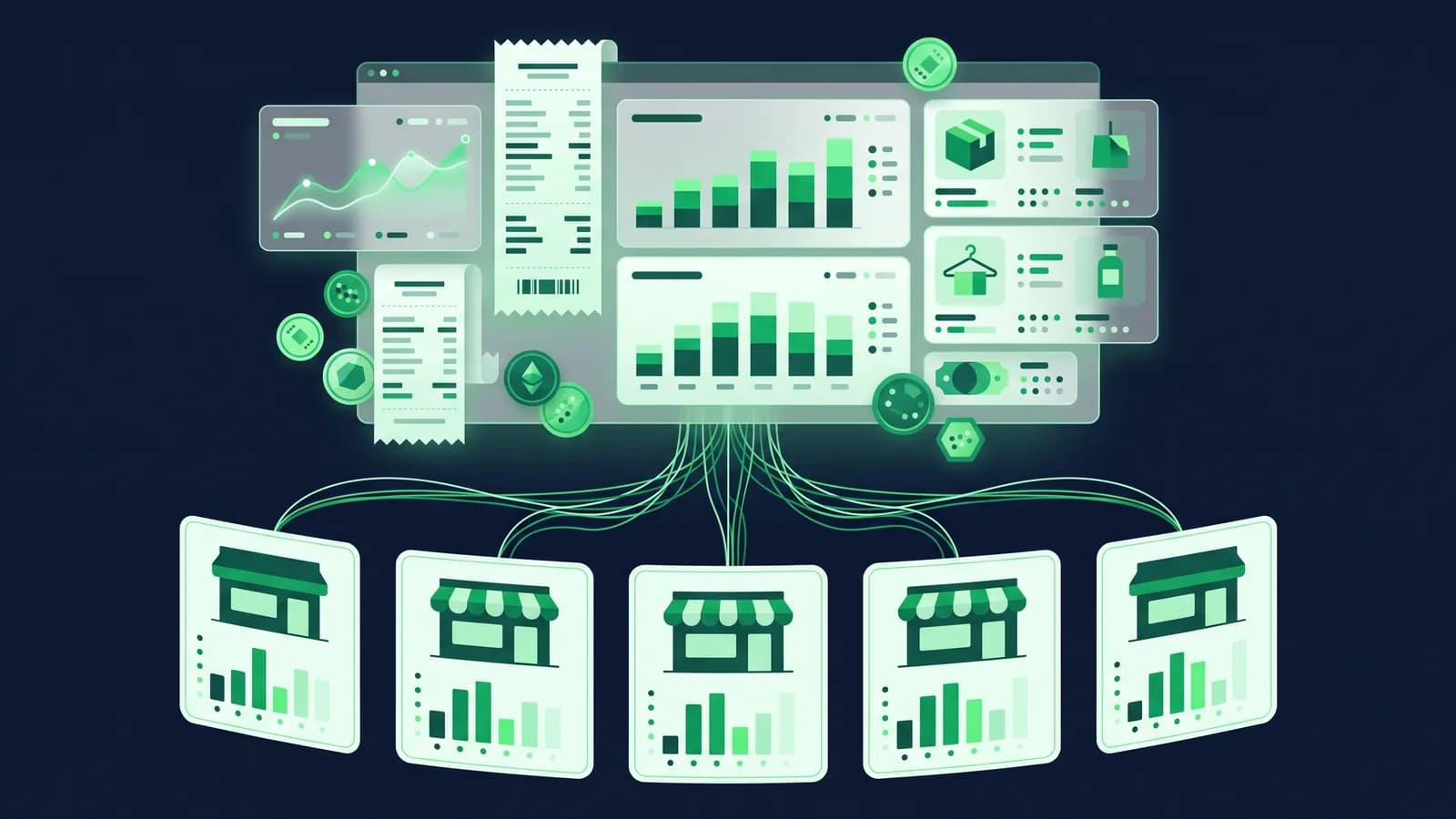
At one outlet, day-end is a ritual. The manager counts the drawer, matches it against the Z-report, scrolls through the bKash and Nagad statements on a phone, writes the difference in a notebook and sends a photo to the owner. At five outlets in Dhanmondi, Mirpur, Uttara, Bashundhara and Chattogram, that ritual becomes five notebooks, five phones, five WhatsApp photos arriving between 10.30 pm and midnight, and an owner who cannot tell until the next afternoon whether the chain made money yesterday or whether one counter is ৳4,000 short for the third time this month.
This post is about the operational side of supershop software in Bangladesh: what has to be centralised, what has to stay per-outlet, and how a multi-outlet day-end actually works when cash, bKash, Nagad and cards are all on the same counter. It is written for owners and operations managers of grocery and supershop chains with three to twenty outlets, and every claim is something you can ask a vendor to show you live. If you are choosing between systems, read it alongside our supermarket page and the multi-branch module.
Why supershops outgrow single-shop POS fast
A single grocery counter can get by with almost any till. The problems start at outlet number two and become unmanageable somewhere around outlet five, because three things change at once.
First, the product list stops being "the shop's" and becomes "the company's". The same 8,000–15,000 SKUs need the same barcodes, names, VAT classes and units in every outlet, or your Bashundhara branch sells a 5 kg Miniket at one price while Mirpur sells the same bag at another, and head office has no clean way to know which was right.
Second, stock stops being one number. Each outlet has its own quantity, its own expiry dates, its own reorder point, and a central warehouse or a "hub" outlet is feeding the others. A single total tells you nothing useful.
Third, money arrives through more pipes. Cash, bKash merchant, Nagad merchant, card terminals from two banks, sometimes Rocket and Upay, plus staff purchases, credit customers and refunds. Each one has to be counted separately at day-end and each one settles to the bank on a different day.
Supershop software earns its keep when it handles all three without a spreadsheet on the side. The rest of this post goes through each piece.
One item master, many shelves
The foundation of a multi-outlet system is a centralised item master: one record per product, owned by head office, pushed to every outlet.
What lives in the central record
- Barcode(s), including supplier barcodes and your own in-house codes for loose items
- Item name in English and Bangla for the receipt
- Unit of measure and pack conversions (carton of 24, pack of 6, single)
- VAT class and Mushak 6.3 treatment (standard, exempt, zero-rated)
- Category hierarchy for reports (Grocery → Rice → Miniket)
- Default cost and the current selling price list
What the outlet can change, and what it cannot
A good system lets head office decide this. Typically an outlet manager can mark an item as "not stocked here", set a local reorder point and request a price change, but cannot create a new barcode or change the selling price without approval. That one rule removes most of the "why is this cheaper in Uttara" calls.
Price lists and zones
Many chains run two or three price lists: a standard list, a slightly higher list for premium locations such as Gulshan or Banani where rent is higher, and a lower list for a wholesale-style outlet. In MondayPOS these are separate price lists attached to outlets, with the item master unchanged. A price change is made once at head office and syncs to every counter on the list, including counters that are offline at the time and pick it up when they reconnect.
Per-outlet stock and transfers between branches
Each outlet is its own warehouse in the system, with its own quantity, batch and expiry per item. Head office sees all of them side by side; the outlet sees its own.
Transfers
Stock moves between outlets through a transfer document, not by editing two quantities. The sequence that works at scale is request → approve → dispatch → receive:
- 1Mirpur requests 40 cartons of 1 L soybean oil from the central warehouse.
- 2The warehouse supervisor approves (or reduces to 30).
- 3The warehouse dispatches; stock leaves the warehouse and goes into an "in transit" state.
- 4Mirpur receives and scans; anything short is recorded as a discrepancy against the transfer, not silently lost.
That "in transit" state matters more than it sounds. Without it, stock that left Tongi at 3 pm and has not arrived in Chattogram by day-end vanishes from both outlets' counts, and the shrinkage report blames whichever branch counted first.
Expiry and FEFO across outlets
Supershops carry dairy, bakery, frozen and packaged food with short dates. Per-outlet batch tracking lets head office see that Dhanmondi has 60 units of a yoghurt expiring in four days while Bashundhara is about to reorder the same item. A transfer solves the problem; a markdown solves it in the outlet that has it. Either way, the system should pick the earliest-expiring batch first at the counter (FEFO), and flag near-expiry stock on a daily report. Details on the inventory module.
Day-end cash-up across cash, bKash, Nagad and card
This is the section most owners skip to, so here is the full flow as it should run at every outlet, every night.
Step 1: Close each counter, not just the outlet
Each POS terminal has its own session opened by a named cashier with a declared opening float (say ৳2,000). At close, the cashier counts the drawer and declares what is physically there, before seeing the system figure. The system then shows the expected cash (opening float + cash sales − cash refunds − paid-outs) and the difference. Blind declaration is the single biggest deterrent to small, repeated shortages.
Step 2: Declare each tender separately
The cashier or supervisor records, per tender type:
| Tender | What the system expects | What you check it against |
|---|---|---|
| Cash | Float + cash sales − cash refunds − paid-outs | Physical count |
| bKash merchant | Sum of bills tendered as bKash | bKash merchant app / statement for that terminal's number |
| Nagad merchant | Sum of bills tendered as Nagad | Nagad merchant app / statement |
| Card (per bank terminal) | Sum of card bills | Settlement slip printed from each card machine |
| Other (Rocket, Upay, gift voucher, credit sale) | Sum per type | Relevant statement or credit ledger |
The key word is separately. If the system only knows "৳1,84,500 total sales", a cashier who rang a ৳1,200 bKash payment as cash and pocketed the cash leaves no trace. If bKash is its own tender, the bKash app shows ৳1,200 less than the system expects, and the cash drawer shows ৳1,200 more than expected. The pattern is obvious in one night.
Step 3: Record paid-outs and petty cash
Every taka that left the drawer for a non-sale reason (tea, a rickshaw, a cash purchase of bananas from a walk-in supplier) is entered with a reason and, ideally, a supervisor PIN. Otherwise it becomes "shortage" and nobody can tell honest spending from theft.
Step 4: Supervisor review and lock
The outlet manager reviews each counter's session, approves or queries the differences, and closes the outlet day. After the lock, no bill for that date can be edited or deleted; corrections go through a dated adjustment entry that shows who did it.
Step 5: Head office sees all outlets on one screen
By 11 pm the owner or finance lead opens a single day-end report and sees, per outlet: sales by tender, expected vs declared, variance, paid-outs, refunds, and which outlets have not closed yet. Outlets that are offline because of load-shedding close locally and push their session when power returns; the report marks them "pending sync" rather than "missing". How offline billing works.
Step 6: Bank reconciliation a few days later
Cash is deposited the next morning; bKash and Nagad merchant settlements land in the bank on their own schedule; card settlements arrive per bank, usually net of MDR. Because each tender was recorded separately on the night, the accountant can match each deposit to a specific outlet-day, and the accounting module posts MDR and MFS charges as expenses instead of leaving them as an unexplained gap.

Shrinkage and cycle counts
Shrinkage in supershops comes from expired stock, damage, till errors, supplier short deliveries, and theft at the shelf or the counter. Industry figures vary widely and we will not quote a global number here; what matters is your own rate per outlet, per category, per month, and whether it is going up or down. We have a full post on reducing inventory shrinkage in a supermarket; the short version for multi-outlet chains is below.
Cycle counts instead of one annual count
Closing five outlets for a full count is expensive. Instead, count a slice every day: Monday fresh and dairy, Tuesday rice and oil, Wednesday personal care, and so on, with high-value and high-shrink categories (cooking oil, baby formula, razor blades, cigarettes) counted weekly. The system generates the count sheet for the outlet, the staff member scans and enters quantities on a phone or handheld, and variances post as stock adjustments with a reason code.
Reason codes that mean something
"Adjustment" tells you nothing. Expired, damaged, supplier short, count error, theft suspected, transfer discrepancy: six codes are enough, and the shrinkage report by outlet and reason becomes a management tool rather than a confession.
Head-office view
The report that changes behaviour is shrinkage as a percentage of sales, by outlet, trended by month, with a drill-down to category. When Mirpur's oil shrinkage is three times Uttara's, there is a conversation to have, and it is a conversation about a number, not a feeling.
Weighing-scale items and loose goods
Every Bangladeshi supershop sells loose rice, dal, onions, fish, meat and fruit by weight. There are two ways to handle this at the counter, and the software needs to support both.
Scale-printed barcodes. The weighing counter prints a label with an embedded PLU and weight (the common format encodes the item code and the weight or price in the barcode). The POS decodes the barcode and rings up the correct item, weight and price. The item master needs a PLU per loose item and the barcode prefix configured; the scale needs the same PLU list loaded, ideally exported from the item master so nobody is typing 300 PLUs into a scale keypad by hand.
Scale connected to the POS. For smaller counters, a serial or USB scale sends the weight directly to the bill when the cashier selects a loose item. This avoids the label step but slows the queue at peak hours.
Either way, loose items are sold in kilograms (or grams) and purchased in sacks or crates, so unit conversion in the item master has to be right, and the day-end stock for a loose item will never match to the gram. Set a tolerance per item, and only flag variances above it. Hardware is the chain's choice; MondayPOS is hardware-agnostic, and our hardware page covers scale and label-printer options.
Promotions that do not break the day-end
Promotions are where multi-outlet day-ends go wrong, because a discount keyed by hand at the counter is invisible to head office. Three promotion types cover most supershop needs:
- Buy X get Y (buy 2 litres of oil, get a 500 g pack free): the free item should be rung at zero with the promotion name on the bill line, so stock moves correctly.
- Price-list promotions for a date range (Eid week, Pohela Boishakh, month-end "bazar" offers): set once centrally, start and end automatically, and apply at every outlet or only at chosen ones.
- Loyalty points and member prices: a member price on the item master, and points accrued per bill linked to a phone number.
The day-end report should show total discount given per outlet, per promotion. If one outlet's manual discounts are consistently higher than the rest, you have found either a generous manager or a problem. Manual discount above a threshold should require a supervisor PIN.
Outlet P&L: the report the owner actually wants
Sales by outlet is easy. Profit by outlet requires that the system know each outlet's cost of goods (from purchase prices and transfers at cost), its shrinkage adjustments, its direct expenses (rent, electricity, staff, generator diesel during load-shedding) and its share of head-office costs if you choose to allocate them.
When purchasing, transfers, stock adjustments and accounting are in the same system, an outlet P&L is a report you open, not a spreadsheet someone builds on the fifth of the month. MondayPOS produces outlet P&L from the reports module on the Business plan and above; the accounting entries behind it are the same ones that feed the Mushak 6.3 and VAT returns, so the P&L and the VAT filing agree. Our Mushak 6.3 guide covers that side.
A realistic chain looks at three numbers per outlet each week: gross margin percentage, shrinkage percentage, and sales per square foot or per staff hour. All three need the outlet-level data above.

Roles, permissions and the audit trail
At five-plus outlets, the owner is not in the building when most bills are rung. The control comes from roles:
| Role | Can | Cannot |
|---|---|---|
| Cashier | Open/close own session, bill, accept all tenders, give discount within limit | Void a completed bill, change price, see other cashiers' sessions |
| Outlet supervisor | Approve voids and refunds, paid-outs, over-limit discounts, close outlet day, run counts | Change item master, change price lists, see other outlets |
| Warehouse | Approve and dispatch transfers, receive purchases | Bill at POS, edit prices |
| Head-office buyer | Item master, suppliers, purchase orders, price lists | Close outlet days, post accounting |
| Finance | Bank reconciliation, accounting, VAT returns, all reports | Edit bills |
| Owner/admin | Everything, including user roles | (audit log records everything they do) |
Every void, refund, discount, price change, stock adjustment and day-end lock is written to an audit log with user, terminal, timestamp and old/new values. At a demo, ask to void a bill and then ask to see the log entry. If the vendor cannot show it in 30 seconds, the log is not really there.
The multi-outlet day-end checklist
Print this for every outlet manager. It is deliberately boring; boring is what makes it work.
| # | Step | Who | Done |
|---|---|---|---|
| 1 | Every cashier counts drawer and declares cash blind | Cashier | ☐ |
| 2 | Print settlement slip from each card terminal; enter totals | Cashier | ☐ |
| 3 | Check bKash merchant app total for today; enter | Cashier / supervisor | ☐ |
| 4 | Check Nagad merchant app total for today; enter | Cashier / supervisor | ☐ |
| 5 | Enter any other tenders (Rocket, Upay, vouchers, credit sales) | Supervisor | ☐ |
| 6 | Enter all paid-outs with reason | Supervisor | ☐ |
| 7 | Review variance per counter; note explanation for anything over ৳200 | Supervisor | ☐ |
| 8 | Confirm all pending transfers in/out are received or still in transit | Supervisor | ☐ |
| 9 | Post today's cycle-count adjustments with reason codes | Supervisor | ☐ |
| 10 | Check near-expiry report; mark down or transfer | Supervisor | ☐ |
| 11 | Close outlet day (lock) | Supervisor | ☐ |
| 12 | Prepare cash deposit bag and deposit slip for the morning | Supervisor | ☐ |
| 13 | Confirm outlet shows "closed" (or "pending sync" if offline) on head-office dashboard | Head office | ☐ |
| 14 | Head office reviews all outlets: variance, discounts, refunds, shrinkage | Head office | ☐ |
Steps 1–12 should take a trained supervisor 20–30 minutes. If it takes more than an hour, something in the system or the process is making it hard, and that is worth fixing before you open outlet six.
Questions to ask at a supershop software demo
- 1Change the price of one item at head office. Show me it on an outlet counter that was offline when the change was made, after it reconnects.
- 2Transfer 20 cartons from the warehouse to an outlet. Show me the in-transit state and what happens if the outlet receives 19.
- 3Open a cashier session, ring one cash bill, one bKash bill, one Nagad bill and one card bill, and close the session with a blind cash declaration. Show me the variance screen.
- 4Show me the head-office day-end view for all outlets, including one that has not closed yet.
- 5Scan a scale-printed barcode for 1.350 kg of onions. Show me the bill line and the stock deduction.
- 6Set up a "buy 2 get 1" promotion for three outlets only, valid for one week. Show it on the bill and on the day-end discount report.
- 7Run a cycle count for one category at one outlet and post the adjustment with a reason code. Show me the shrinkage report by outlet.
- 8Show me last month's P&L for one outlet, and then show me the Mushak 6.3 output for the same month.
- 9Void a bill as a cashier (it should fail), then as a supervisor, then show me the audit log entry.
- 10What does the first year cost for five outlets, including migration of our item master and opening stock?
The bottom line
Running day-end across five or more supershop outlets is not a reporting problem; it is a structure problem. One item master, one price list per zone, one warehouse per outlet, one session per counter, one tender type per payment method, one reason code per adjustment, and one lock per outlet-day. Get those seven "ones" right and the head-office dashboard at 11 pm is a formality. Get them wrong and no amount of dashboards will tell you where the ৳4,000 went.
MondayPOS was built on ERPNext for exactly this kind of chain: offline-first counters, centralised master data, per-outlet stock and transfers, bKash, Nagad, card and cash as separate tenders reconciled at day-end, and outlet P&L from the same ledger that files your VAT. Business plan pricing is ৳3,500 per outlet per month plus ৳2,450 for each additional outlet, billed monthly or yearly, plus 5% VAT. See the supermarket page, start a free trial or book a demo and bring your own item list.
Frequently asked questions
- What is supershop software, and how is it different from ordinary POS software?
- Ordinary POS software bills and prints receipts at one counter. Supershop software adds a centralised item master, per-outlet stock with transfers, multiple tender types reconciled at day-end, weighing-scale items, promotions controlled from head office, and outlet-level P&L and audit. The difference shows up from the second outlet onward.
- How do chains reconcile bKash and Nagad at day-end?
- Each is set up as a separate tender type at the counter. At close, the system shows the expected bKash and Nagad totals per terminal, and the supervisor checks them against the merchant app or statement. Differences are visible the same night instead of weeks later when the bank statement arrives.
- Can each outlet have a different price?
- Yes, through price lists attached to outlets, while the item master stays the same. Head office sets the lists; outlets cannot change selling prices without approval unless you choose to allow it.
- How do we handle loose items sold by weight?
- Either scale-printed barcodes with an embedded PLU and weight that the POS decodes, or a scale connected to the POS that sends the weight directly. Both need the loose items set up in the item master with kg units and pack conversions for purchasing.
- What happens to day-end if an outlet loses internet or power?
- With an offline-first system the counters keep billing, the supervisor closes the day locally, and the session syncs to head office when the connection returns. The head-office report shows that outlet as "pending sync" rather than missing. A UPS or mini-generator for the counter PC and printer is still advisable.
- How much does supershop software cost in Bangladesh for five outlets?
- Subscription pricing is usually quoted per outlet per month; many vendors quote privately. MondayPOS publishes its prices: on the Business plan, ৳3,500 for the first outlet plus ৳2,450 for each additional outlet per month, billed monthly or yearly, so five outlets is ৳13,300 per month before VAT and hardware. The Growth plan adds CRM, loyalty, HR and payroll at ৳6,500 plus ৳4,550 per additional outlet. See pricing.